

The rise of remote work has transformed the way we live and work. While working from home offers flexibility, convenience, and time saved on commuting, it has also led to an increase in complaints of back pain. Many home offices are not designed with ergonomics in mind, and long hours of sitting in poor postures can take a toll on the spine.
The good news? With the right setup and habits, you can prevent or reduce back pain and make your home workspace healthier and more comfortable.
Why Back Pain Happens When Working from Home
Back pain from remote work usually stems from a combination of factors:
- Poor posture: Sitting on the couch, bed, or dining chairs without lumbar support places strain on the spine.
- Prolonged sitting: Staying in one position for hours reduces blood flow and stresses muscles and joints.
- Improper desk setup: Monitors that are too high or too low, keyboards that require awkward arm positions, or chairs without adequate support all contribute to discomfort.
- Lack of movement: Office environments often encourage small breaks — like walking to a meeting room or chatting with a colleague — but working from home can keep you seated all day.
Identifying these triggers is the first step toward preventing work-from-home back pain.
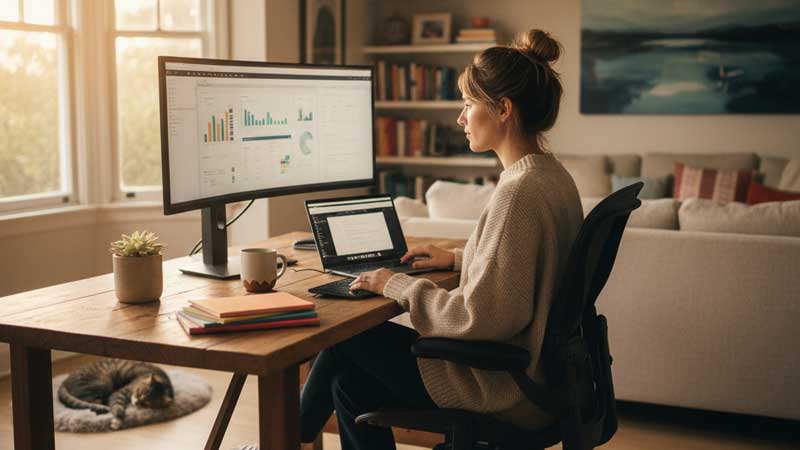
1. Create an Ergonomic Workspace
One of the most effective ways to protect your back is by improving your workstation ergonomics. Even small adjustments can make a significant difference.
Choose the Right Chair
- Use a chair with adjustable height and lumbar support.
- Keep your feet flat on the floor, with knees at a 90-degree angle.
- If your chair doesn’t offer lumbar support, use a small pillow or rolled-up towel behind your lower back.
Adjust Your Desk and Monitor
- Position your monitor so the top is at or slightly below eye level.
- Keep the screen about an arm’s length away.
- If you don’t have a proper desk, use books or stands to raise your laptop to eye level and pair it with an external keyboard and mouse.
Keep Essentials Within Reach
Frequently used items, such as your phone, notepad, or water bottle, should be within easy reach to avoid repeated twisting or leaning.
2. Move Regularly Throughout the Day
Even with the perfect ergonomic setup, sitting too long is harmful to your back. Incorporating regular movement into your day helps reduce stiffness and improve circulation.
- Follow the 20-20-20 rule: Every 20 minutes, take 20 seconds to look 20 feet away, and use the moment to stand or stretch.
- Set reminders: Use alarms or apps to remind you to move every hour.
- Take microbreaks: Stand, walk around the room, or do a quick stretch between meetings or tasks.
- Consider a standing desk: Alternating between sitting and standing can reduce strain on your lower back.
3. Practice Good Posture
Maintaining good posture is crucial for preventing back pain associated with remote work. Try these tips:
- Keep your shoulders relaxed and avoid slouching forward.
- Engage your core lightly while sitting to support your spine.
- Align your ears over your shoulders and your shoulders over your hips.
- Avoid crossing your legs for long periods, as it can tilt the pelvis and strain the back.
You may find it helpful to record yourself on video calls to spot posture habits you weren’t aware of.
4. Stretching and Strengthening Exercises
Regular exercise strengthens the muscles that support your back and reduces pain. Even a few minutes a day can help.
Simple stretches for back pain relief:
- Cat-Cow stretch: Loosens tight back muscles and improves flexibility.
- Child’s pose: Stretches the lower back and hips.
- Hip flexor stretch: Counteracts tightness from prolonged sitting.
Strengthening exercises to prevent pain:
- Bridges: Strengthen glutes and lower back.
- Planks: Build core stability, which reduces spinal strain.
- Bird dogs: Improve balance and strengthen deep spinal stabilizers (also known as “quadruped opposites”).
Consider incorporating yoga or Pilates into your routine, as both focus on flexibility, posture, and core strength.
5. Lifestyle Habits That Support Back Health
Back health is not just about your desk setup — it’s also about how you care for your body overall.
- Stay active: Aim for at least 30 minutes of moderate exercise daily, such as walking, cycling, or swimming.
- Maintain a healthy weight: Excess weight, particularly around the abdomen, puts strain on the spine.
- Stay hydrated: Proper hydration supports spinal discs, which act as cushions between vertebrae.
- Get quality sleep: A supportive mattress and a comfortable sleeping position can help reduce nighttime strain on your back.
6. When to Seek Medical Help
Most work-from-home back pain can be alleviated with proper posture corrections, regular movement, and exercise. However, you should seek medical advice if:
- Pain persists for more than a few weeks despite self-care.
- Pain radiates into your legs, causing numbness or weakness.
- You experience severe, sudden back pain after an injury.
A healthcare professional can help identify underlying issues and recommend tailored treatments such as physical therapy or medical interventions.
Wrapping It Up
Working from home doesn’t have to mean living with chronic back pain. By creating an ergonomic workspace, taking frequent breaks to move, practicing good posture, and developing habits that support spine health, you can significantly reduce discomfort and protect your back in the long term.
Your home office should be a place of productivity and comfort—not pain. With small yet consistent changes, you can maintain your health, stay active, and experience pain relief while enjoying the benefits of remote work.